Full HR Records, Roster Calendars, and Smarter Dockets
Product Update: Full HR Records, Roster Calendars, and Smarter Dockets
This week’s release is packed with massive workflow upgrades. We’ve completely replaced manual spreadsheets with a dedicated HR & Performance module, launched a highly requested visual Roster Calendar, bridged the gap between timesheets and external dockets, and squashed dozens of bugs across the platform.
Here is everything new in Subgrade Cyber.
📋 New Feature: HR Records & Performance Reviews
Managing your workforce’s performance and disciplinary history is now fully structured, permission-gated, and automated.
Performance Reviews: Managers can now create reviews scoring employees across 17 different characteristics. Reviews follow a clear Draft, Completed, and Acknowledged lifecycle.
Employee Self-Service: Employees have their own "My Performance Reviews" page where they can securely view and acknowledge their completed reviews with a single click.
Automated Scheduling: Once a review is completed, the system automatically calculates the next due date based on your workspace's configured frequency (e.g., quarterly or annually). A nightly command automatically sends deduplicated reminders for reviews that are due within 14 days, overdue, or awaiting employee acknowledgement.
Disciplinary Notices: You can now log verbal, written, final, and termination notices directly to an employee's record. These capture the incident date, issuing manager, description, and outcome.
Automated Security: If a termination notice is issued, the system instantly queues a job to deactivate that employee's workspace access.
Instant PDFs: Both performance reviews and disciplinary notices can be exported to PDF directly from the UI on demand.
📅 New Feature: Employee Roster Calendar View
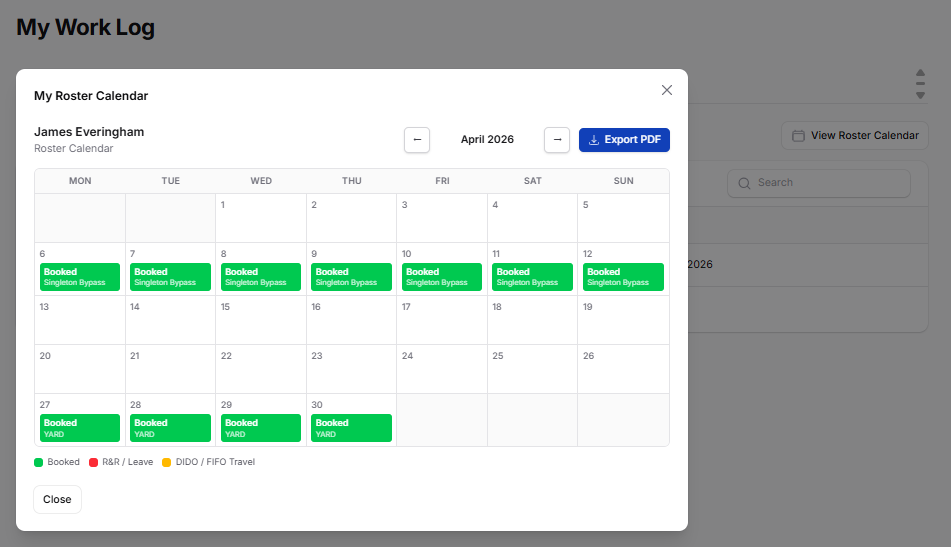
We’ve shipped one of the most requested improvements to the Allocation Manager: a visual calendar view for employee rosters.
Visual Tracking: Managers and employees can view a clean, monthly calendar that is colour-coded by status—no more squinting at table rows. Green indicates days booked on site, red shows R&R or specific Leave types, and amber highlights DIDO/FIFO travel days.
Smart Logic: A new logic service accurately calculates rolling rosters by prioritizing travel dates, then on-site periods, and finally roster cycles. Travel days explicitly state "Travel In" or "Travel Out".
Easy Access & Export: Managers can access this via the "View Calendar" row action in the Allocation Manager, while employees can view their own via the "View Roster Calendar" button. The entire calendar can be exported as a print-ready A4 PDF.
🧾 Smarter Timesheets: Auto-Generating External Dockets
We’ve closed the gap between timesheet photo uploads and your day works compliance.
Automatic Docket Creation: If a worker uploads a photo of a physical client docket to their timesheet and hits submit, the system now automatically generates a corresponding Day Works Docket record.
One Source of Truth: These uploaded photos (restricted to JPEG, PNG, WebP, and GIF) appear alongside your app-generated dockets in the Manage Day Works Dockets page.
Clear Visibility: Externally uploaded dockets feature an "External" badge, are completely filterable by source, and are now automatically included when you use the bulk ZIP image downloader.
🚛 Float Tracker & Allocation Timeline Upgrades
We’ve tightened up the asset tracking workflows to make scheduling more reliable.
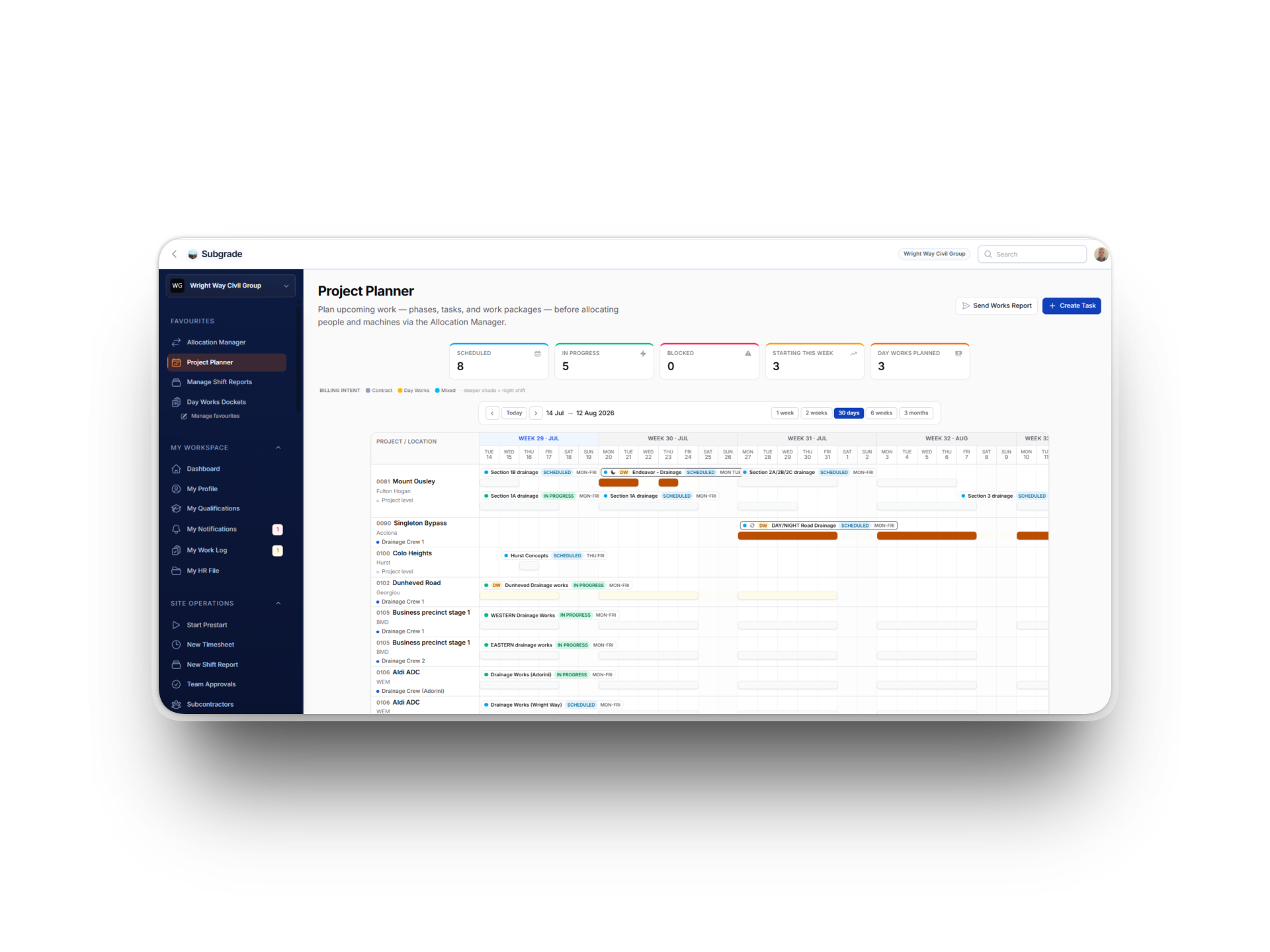
Timeline Visibility: Float bookings now appear directly on the "By Project" view of the allocation timeline. You will clearly see departing assets on the source project row and arriving assets on the destination project row. We also added "Yesterday" and "Last Week" quick-navigation buttons to the timeline.
Bulletproof Workflows: We fixed a bug where float bookings could get stuck if an allocation creation failed due to a date conflict; the entire operation now rolls back cleanly. We also optimized the backend so allocation logic only fires during a strict "scheduled to completed" status transition.
Float Tracker Fixes: We fixed a tenant data leak in the "Scheduled" tab badge, removed a redundant status filter, corrected the sort order so the next upcoming float is always at the top, and added validation to prevent booking an asset from a project back to that exact same project.
💳 SMS Credits & Billing Enhancements
We shipped a batch of improvements to keep your workspace billing and communications running smoothly.
Self-Serve SMS Top-Ups: Workspace admins can now buy SMS credit top-up packages directly via Stripe on the Finance & Billing page. Top-up credits never expire as long as your subscription remains active, while your base monthly quota resets on your billing date.
UI Cleanup: We relocated the SMS usage widget to the Finance & Billing group and fixed a display bug that incorrectly showed 100% usage before monthly credits were allocated.
Reliability Fixes: We resolved an issue where SMS credits weren't being allocated immediately upon subscription creation, fixed the expired banner falsely displaying for auto-renewing subscriptions, and patched a crash that occurred when creating a free/trial local subscription.