What's new at Subgrade
Home & Navigation
Home screen, rebuilt. Dense tables are gone, replaced by quick-glance counter tiles grouped by area — Service, Approvals, My Work, People & Compliance, Payroll, Budget. Sections only show up if you've got permission to see them, tiles can be reordered, hidden or collapsed, and the whole thing finally works properly on a phone.
Project Library is an index now; Site Pack is the field destination. Project Library shows client, project counts and compliance "to sign" status at a glance. Site Pack is now where you actually go on site to sign documents, replacing a flaky link-only flow — and existing projects had their SWMS and compliance status backfilled automatically.
Documents Hub, tightened up. Fixed a real blocker where brand-new companies couldn't upload anything because the document-type list started empty — it's now seeded automatically and editable. Also closed gaps where internal-only documents or a bulk-delete could reach the wrong people.
Storage usage, visible for the first time. See how much storage your account is using — gigabytes and file count — refreshed nightly with a timestamp showing how fresh the number is. Visibility only, for now: no cap, no charge attached.
Help Centre, rewritten. All 65 in-app help pages, across every area of the app, were rewritten from placeholder text into guides that actually match how the app behaves today.
Scheduling & Field Ops
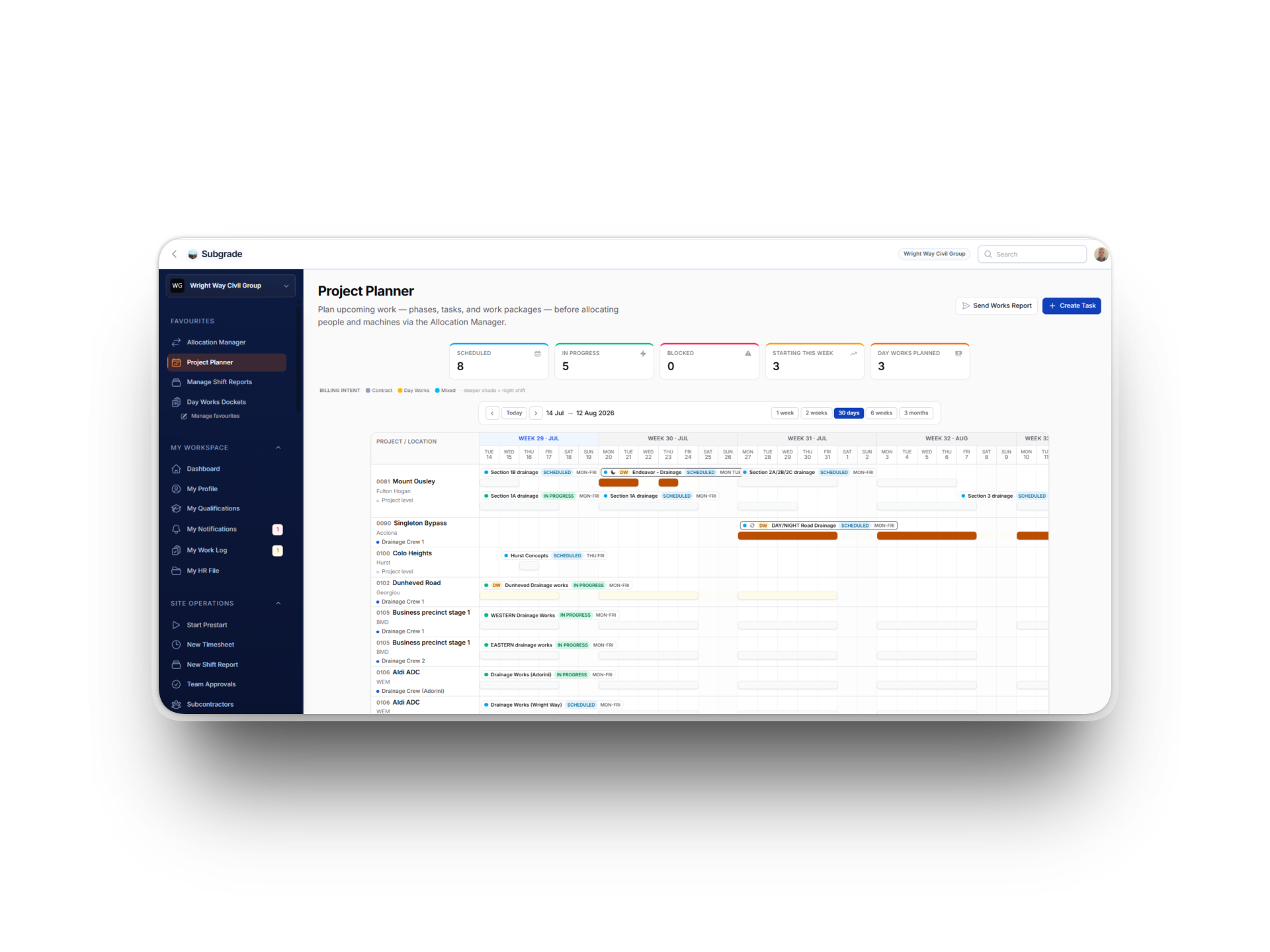
Allocation, Planner and Delays get room to breathe. Full-width layouts instead of horizontal scrolling, a "today" marker so current delays are easy to spot, direct links between the allocation board, the planner and the delays register, and a proper mobile layout across all three.
Forecasting can price a job before it's staffed. A planned task can now say "3 operators and 2 excavators for 10 days" by role and equipment class, not named people or machines — and the Planner shows the gap between what's required and what's actually assigned, instead of an unstaffed task quietly costing $0.
Shift reports share one crew log. Notes from anyone on a crew now flow into a single shared report tied to the supervisor, each one stamped with its real author — instead of every crew member accidentally starting their own report nobody else sees.
Plant service schedules, one source of truth. Service intervals — hours, months, greasing — used to live in two places that could quietly disagree. They're now folded into Asset Categories, with presets, a "copy from another category" option, and bulk edit across categories.
Fleet charging and idle time, sorted out. Yard vehicles now show as an idle cost instead of vanishing, vehicles assigned to a person charge to wherever that person is working, and towed or carried equipment follows the vehicle instead of double-charging. A new "forgone value" figure shows what idle plant is actually costing you.
Payroll & Budget
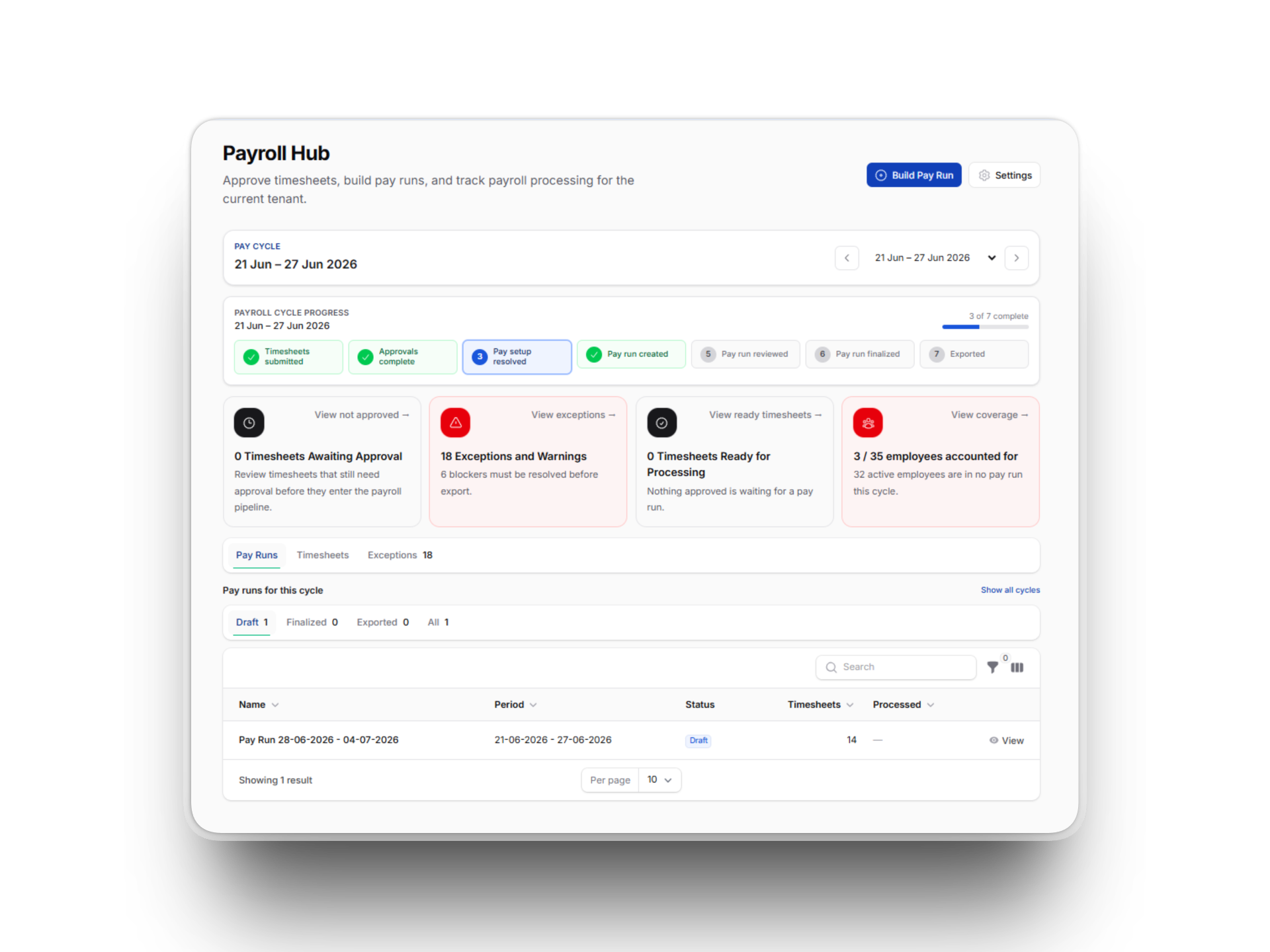
Payroll Hub, faster and easier to trust. Page loads roughly halved, a travel-allowance under-posting bug fixed, and a new cycle summary shows totals, completeness and headcount before you finalise a pay run — with a direct link into the matching Budget period.
Timesheets list, numbers that finally agree. The conflicting totals shown across different tabs and widgets now match, each one labelled with its exact date range. The list loads about twice as fast, splits worked vs. leave hours, adds a project filter, and now flags over-12-hour timesheets and unusual leave entries that used to slip through.
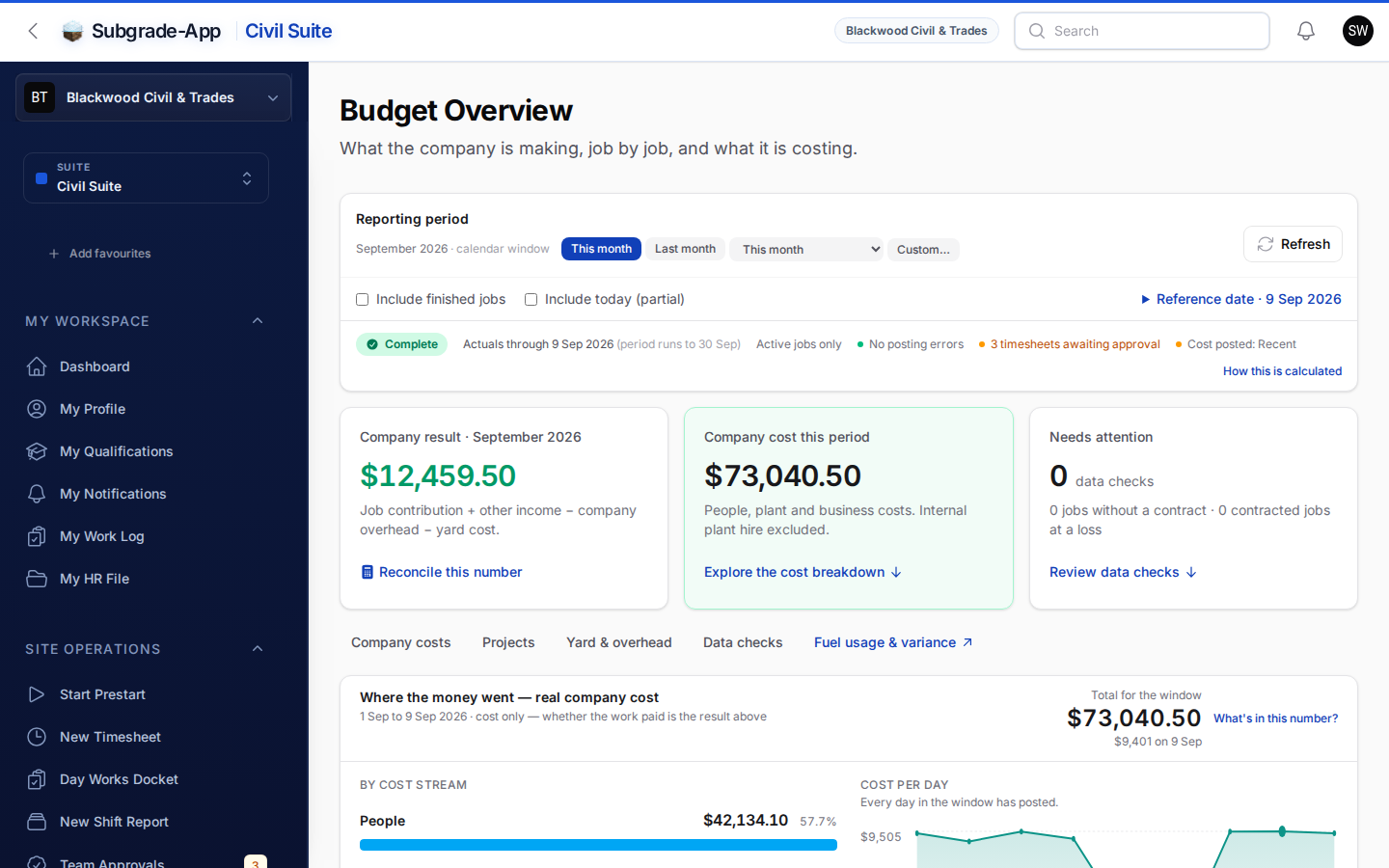
Budget & Overhead numbers reconciled. After finding a mismatch between the Overhead screens and Budget Overview, we corrected duplicate leave costs and missing plant charges — about $72,745 across 171 days — and rebuilt Budget Overview to read more clearly.
Overhead costs, split by real nature. Budget Overview now breaks overhead into People, Plant and Other, instead of dumping most of it into "Unclassified." For one customer, that split revealed their biggest overhead was actually labour, not fixed costs.
Compliance & Training
Company-wide insurance certificates. Record one Certificate of Currency covering many machines at once, instead of re-uploading and re-typing an expiry per asset. Individually financed or leased machines can still carry their own policy, and anything that looks insured twice gets flagged.
Subcontractor insurance, tracked properly. Certificates — public liability, workers comp — can be uploaded by your office, the subbie themselves, or a no-login one-tap link you text or email them. The system warns (or, if you switch it on, hard-stops) when cover is missing or expired at time of work, approval or payment, and sends reminder emails before cover lapses.
Training Register, four screens become one. Outstanding, Expiring, Completed, Inductions, Signatures and Assignments now live in a single register instead of four inconsistent screens that could show the same worker with conflicting statuses. Filters and exports actually work, and overdue people no longer disappear silently.
Contracts & Billing
Contract Book: variations and claims, tightened up. A cross-project Variations register shows every unpriced or unagreed variation and its notice deadline. A new Progress Claim Sheet lets you fill contracted / previous / this-period / total / percent for a whole claim on one screen — and once progress is included in a claim it locks, so a correction becomes a new adjustment rather than overwriting billing history.
Plans, add-ons and billing, rebuilt. What you're subscribed to now actually takes effect — previously some purchases, like AI Assist, could bill without granting access. Trade Pack can be bought standalone or as an add-on, and a failed payment now pauses metered spend gracefully instead of blocking your compliance record-keeping.
Trade Pack
Its own front door. Trade-Pack-only customers now see a clean, job-focused interface with no civil-construction menus in the way — the groundwork for Trade Pack standing on its own as a product.
Suppliers, warranty tracking and real invoices. A dedicated merchant supplier list, kept separate from subcontractors; a searchable warranty register so office staff can check coverage on a customer call, with warranty callbacks defaulting to non-billable; and the ability to attach an actual invoice PDF to a job instead of just a reference number.
Repeat customers get a real profile. One page now shows every job — past, present and future — for a customer. Office staff can flag someone as a repeat customer while booking a job, or attach an existing job to a customer afterwards.
Trade customers, their own book. Kept separate from the civil client and contract book, quicker to create in the field with just a name, phone and email, and able to roll up multiple contacts to one household — the foundation the customer-profile feature builds on.
Trade Dashboard, numbers you can trust. Jobs with no cost entered no longer show a false "100% margin," voided entries stop counting as real cost, revenue no longer wrongly includes GST, and the page itself loads faster and works properly on mobile.
What's Next
Available now, on request — Demo Suite. A fictional example company, preloaded with realistic history — approved timesheets, a processed pay run, an insurance register, open defects, part-paid invoices — that we can hand you a time-limited link into for whichever role you want to see, without touching a single real record. It's rebuilt fresh every night, so nothing anyone does in it sticks around. If you'd like a look, or want to show it to someone on your team, just ask and we'll set up a link.
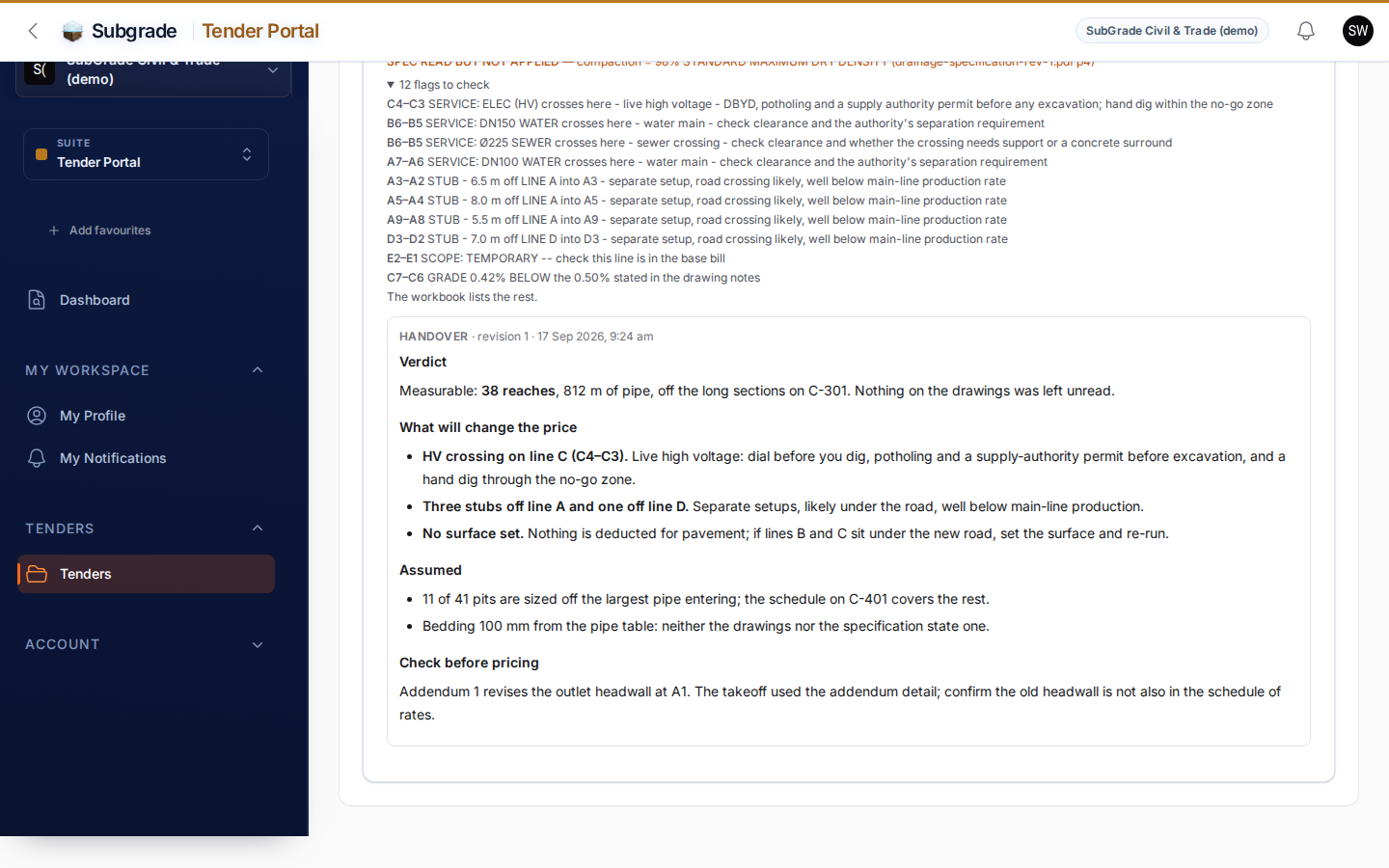
Coming soon — Takeoff Portal. An AI-assisted takeoff tool, inside a new Tender area: upload your plans and specs into a tender folder and run a takeoff that reads the drawings and produces measured quantities — starting with stormwater and drainage — to speed up quoting. Runs will be paid with prepaid credits at a price shown upfront before you commit, with reviewable results and the supporting evidence behind every number. Still in active development — not live yet, and pricing isn't locked in.
That's the log since 14 July. As always, if something above doesn't match what you're seeing, or you want a hand with any of it, get in touch — we'll fix it or walk you through it.