Subgrade Cyber
Run projects, people, and plant without paperwork
Purpose-built for civil construction companies tired of juggling multiple apps and spreadsheets. One auditable system that keeps jobs, crews, and machines moving.
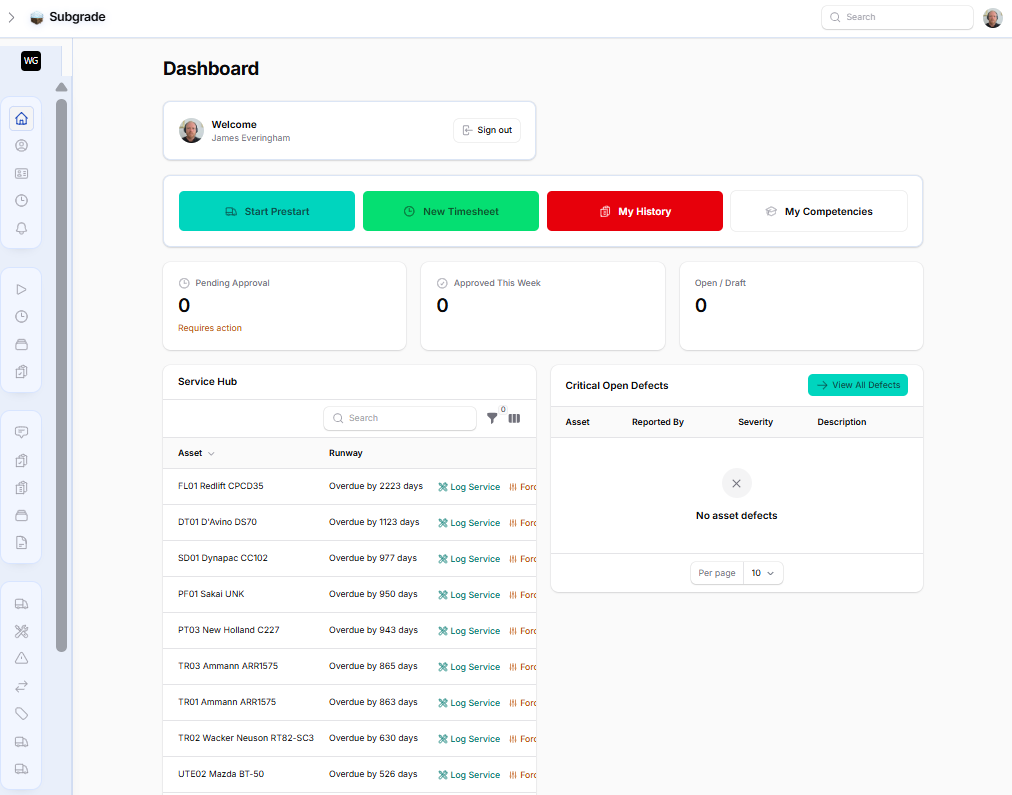
Unified Project Ops
Projects, sites, and allocations in one view.
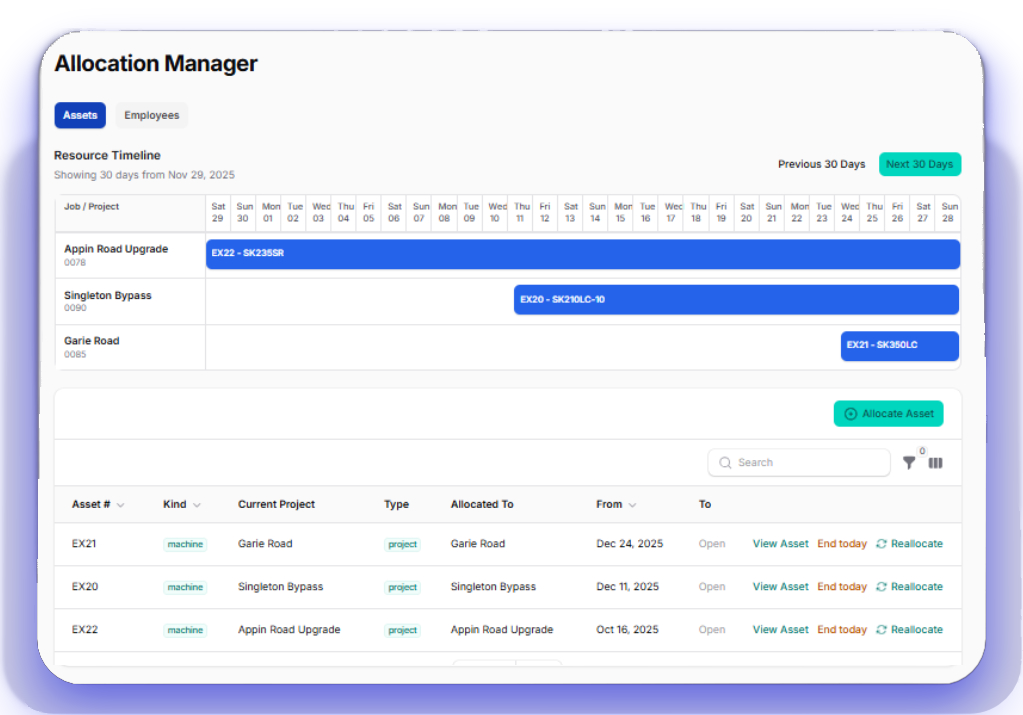
Move beyond scattered spreadsheets. Subgrade Cyber unifies Projects, Sites with GPS geometry, and crew/machine allocations so supervisors always know who and what is on each job.
Real-time allocation boards prevent double-bookings, and every action lands in an audit trail your auditors and clients can trust.
Built to replace your fragmented software stack.
Stop juggling multiple apps for Timesheets, Allocations, and Asset Management. We bring your entire operation together into one unified system.
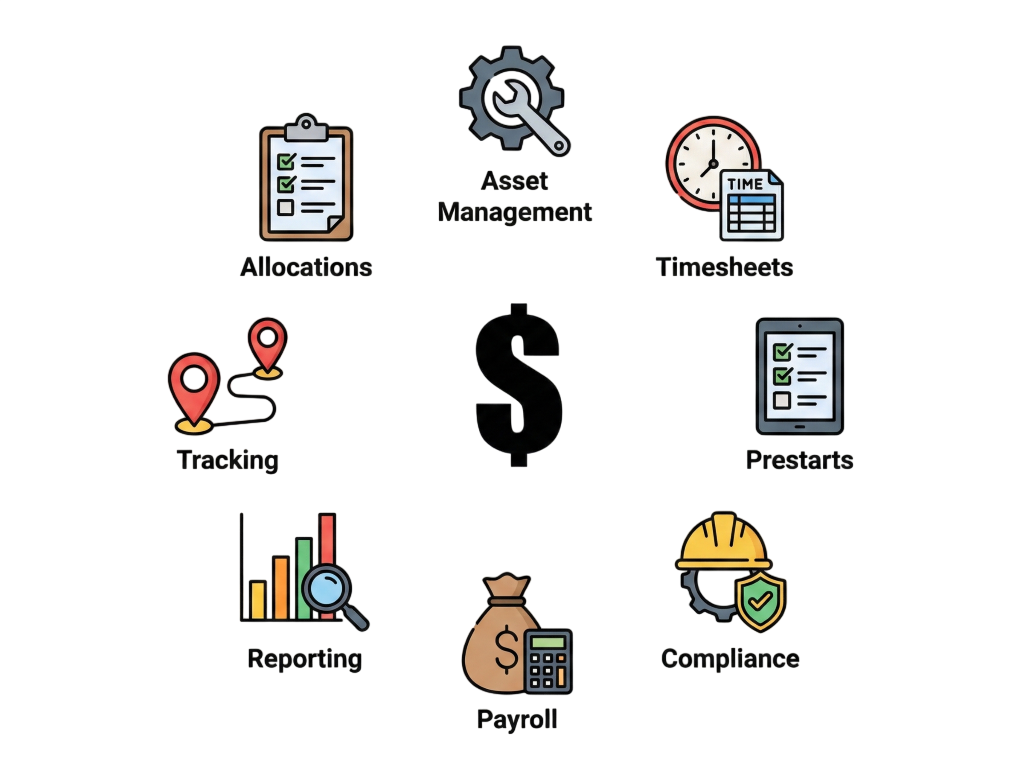
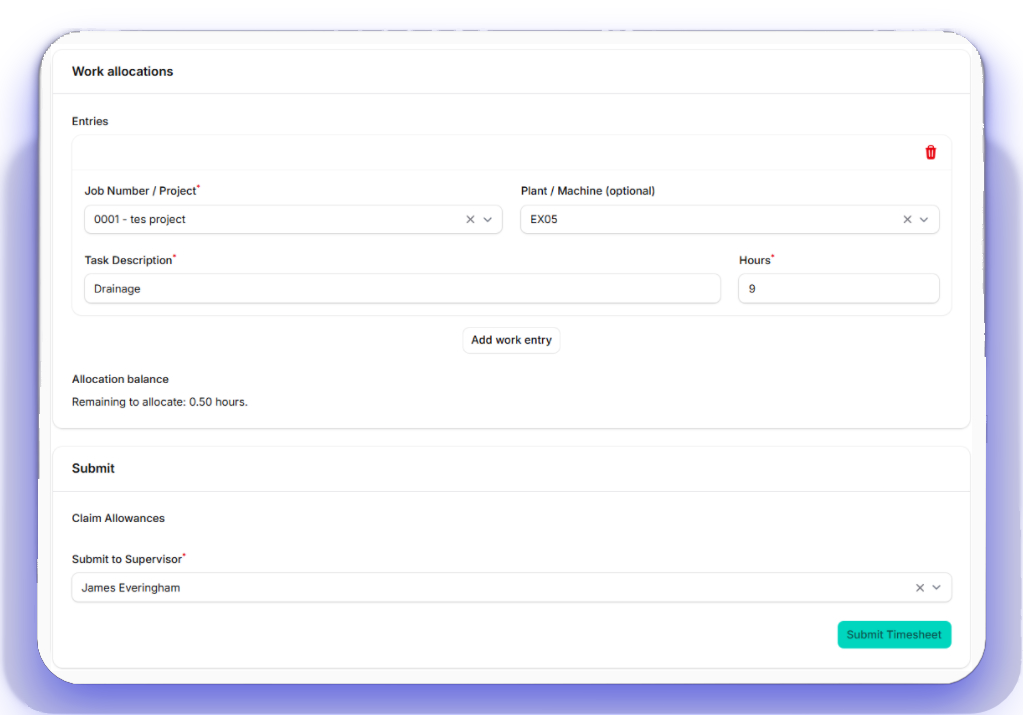
Smart Timesheets & Complete Payroll Suite
Digital hours that match how crews really work—with full payroll control.
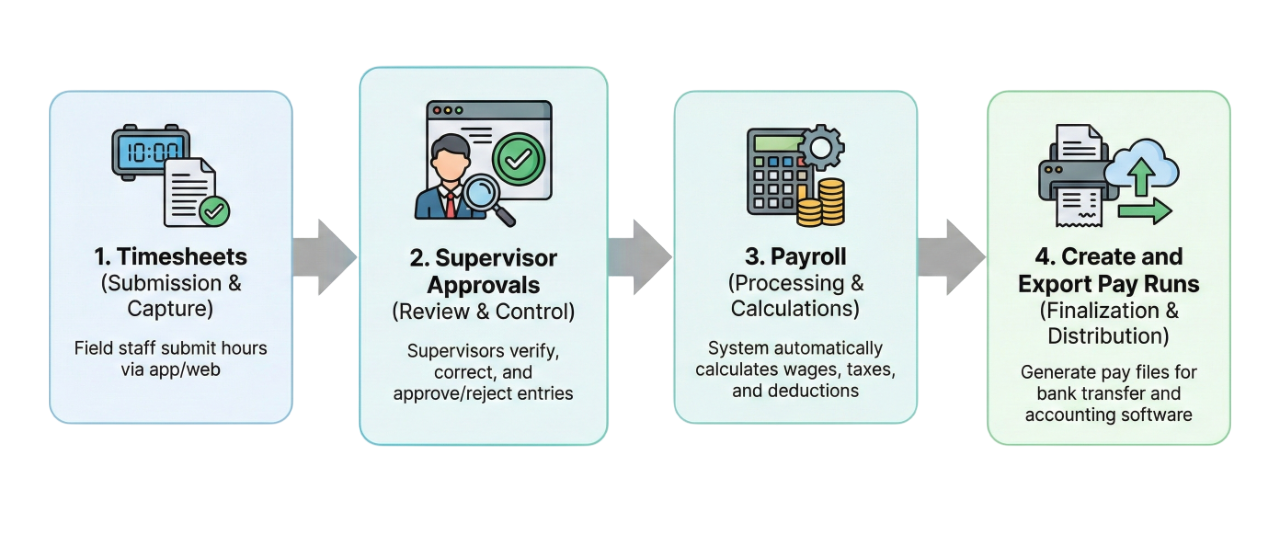
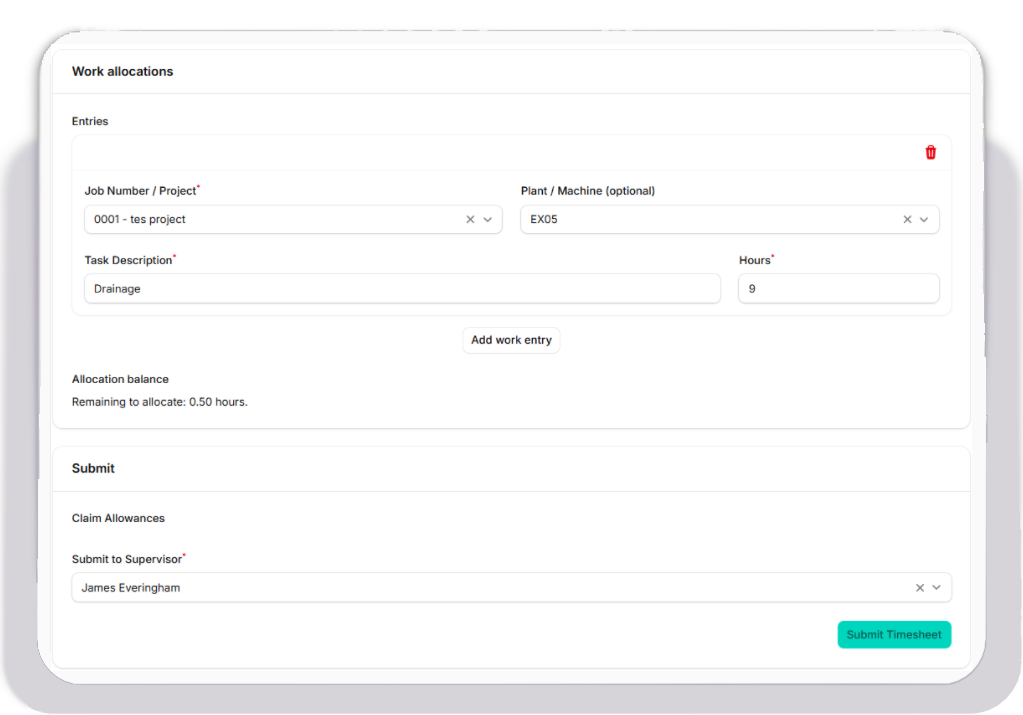
Timesheets capture labour + machine hours with crew-specific rules, allowance logic, and supervisor approvals built in—no more chasing scribbles or missing signatures.
Automated rate sets roll straight into payroll-ready exports so finance can pay accurately without re-keying data.
Track timesheets across projects, create pay runs with batch processing, and control payroll settings—rates, allowances, tax rules—all from one intuitive interface. Your entire payroll operation in one place.
Plant & Asset Management
Every machine, every attachment, always accounted for.
Keep a full register of machines, vehicles, and attachments with ownership, locations, and allocation history tied together.
Operators complete digital pre-starts linked to the exact machine, and service intervals trigger before downtime slows you down.
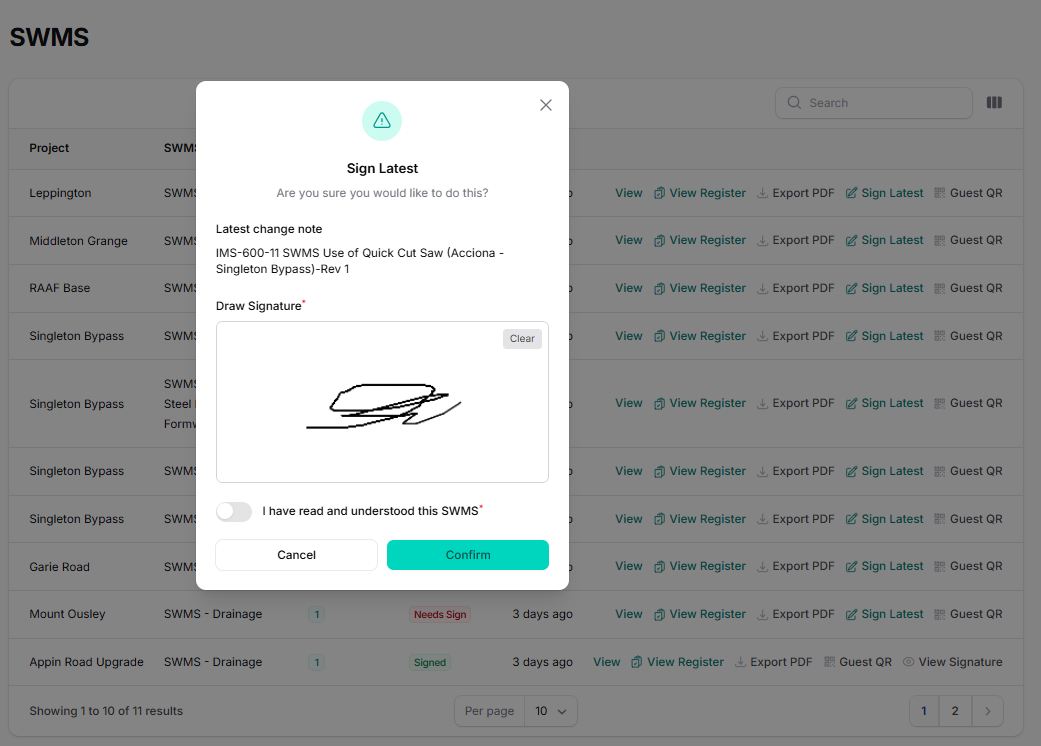
IMS-Compliant Documentation Control
Never get caught with outdated compliance documents again.
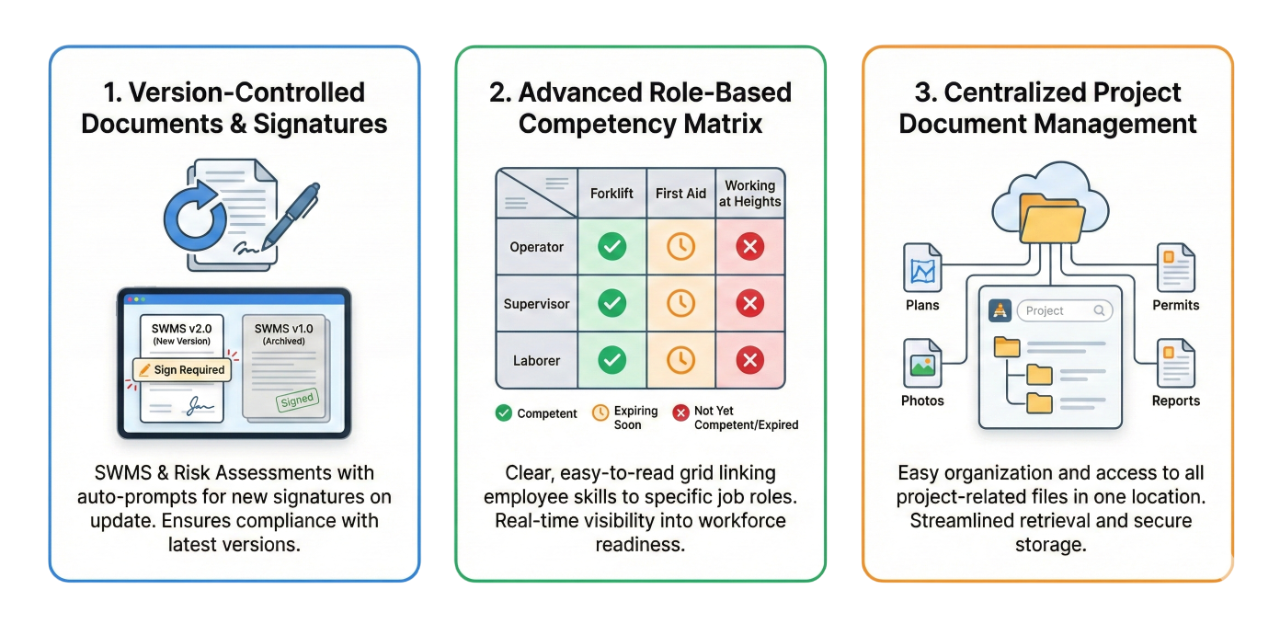
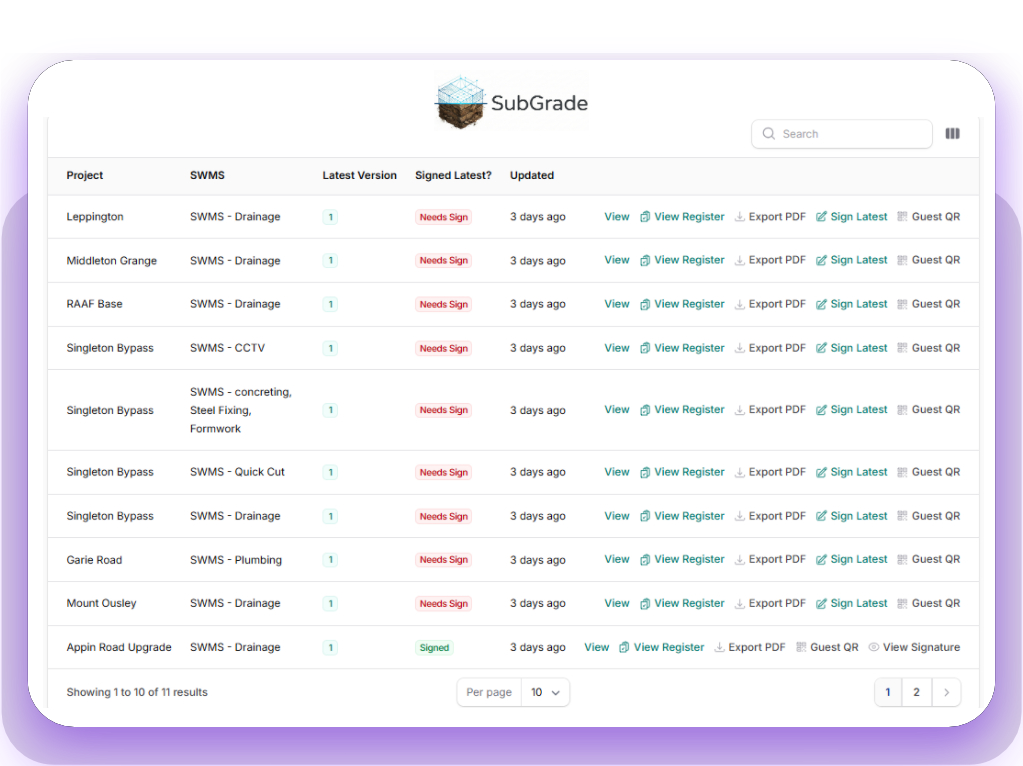
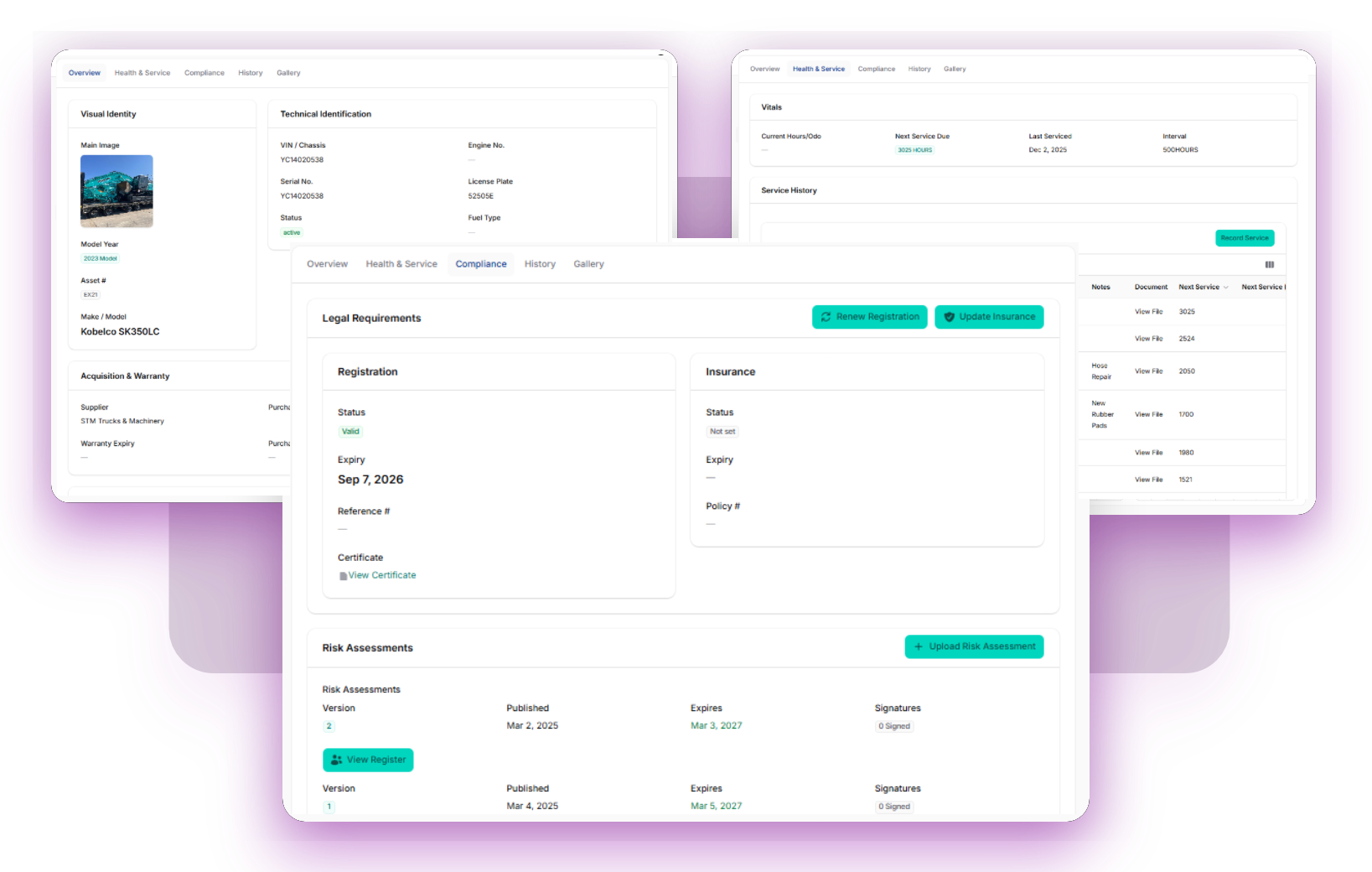
Upload your SWMS, Plant Risk Assessments, and policies once. When you release a new version, the system automatically archives the old one and ensures your crews are only ever viewing—and signing—the latest approved document.
Full sign-on history for audit trails. Operators receive notifications during pre-starts when no Risk Assessment is present or they haven't signed the latest version—keeping you compliant without micromanagement.
Built on proven IMS principles by operators who live it daily.
Project Induction Tracker
Set each project to INTERNAL or EXTERNAL induction. Track every user's induction status with a visual dashboard. Set up custom induction checklists for internal projects and ensure everyone completes their requirements before stepping on site.
Integrated Leave Management
Stop scheduling staff who aren't there.
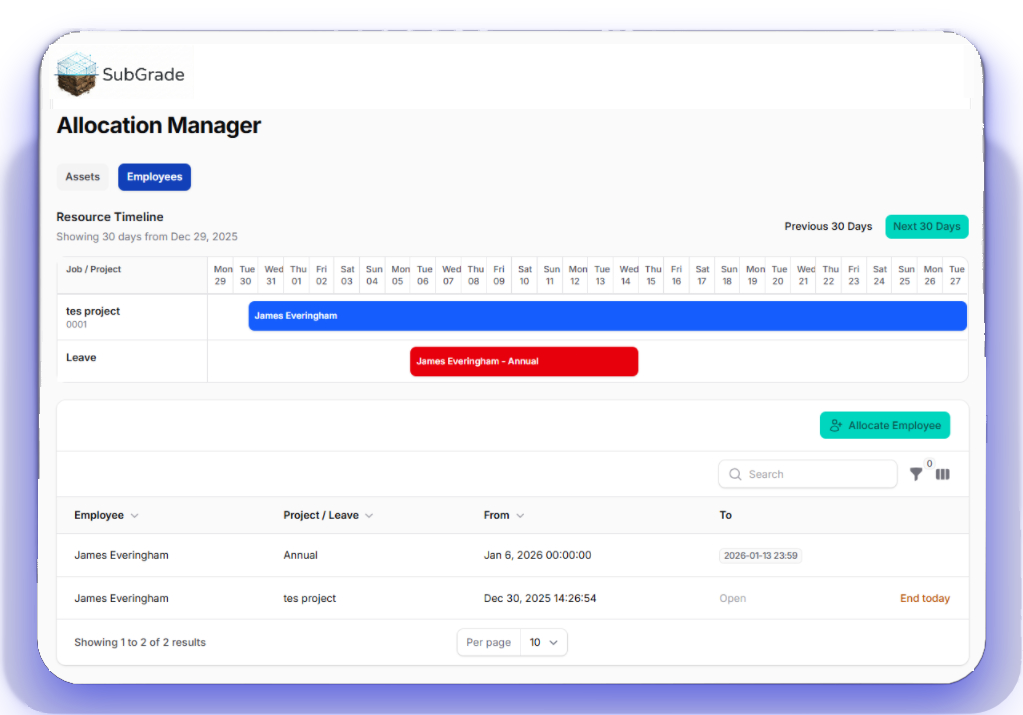
Workers request leave directly in their portal. Once approved, the system automatically blocks them out in the Allocation Manager.
No more whiteboard confusion or last-minute panic. Your schedulers see exactly who is available, who is away, and who is sick—in real time.
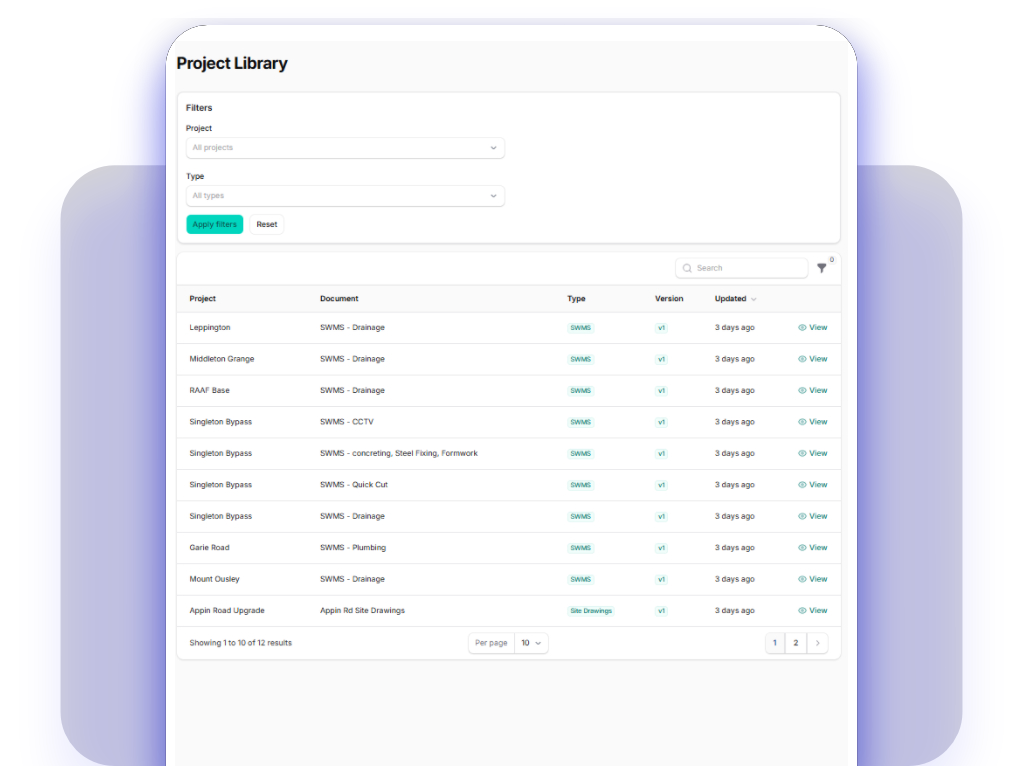
Digital Plan Room
The latest drawings, right in their pocket.
Stop crews building off old revisions. Upload plans, specs, and permits to the Project Library so your team always has the current version.
Organize files by folder and document type, making it easy for supervisors to find the exact detail they need without calling the office.
Field Operations Command Center
Everything your supervisors need in their pocket
From capturing Day Works to building custom reports, these field-ready tools keep your supervisors moving without waiting for the office.
Day Works Dockets
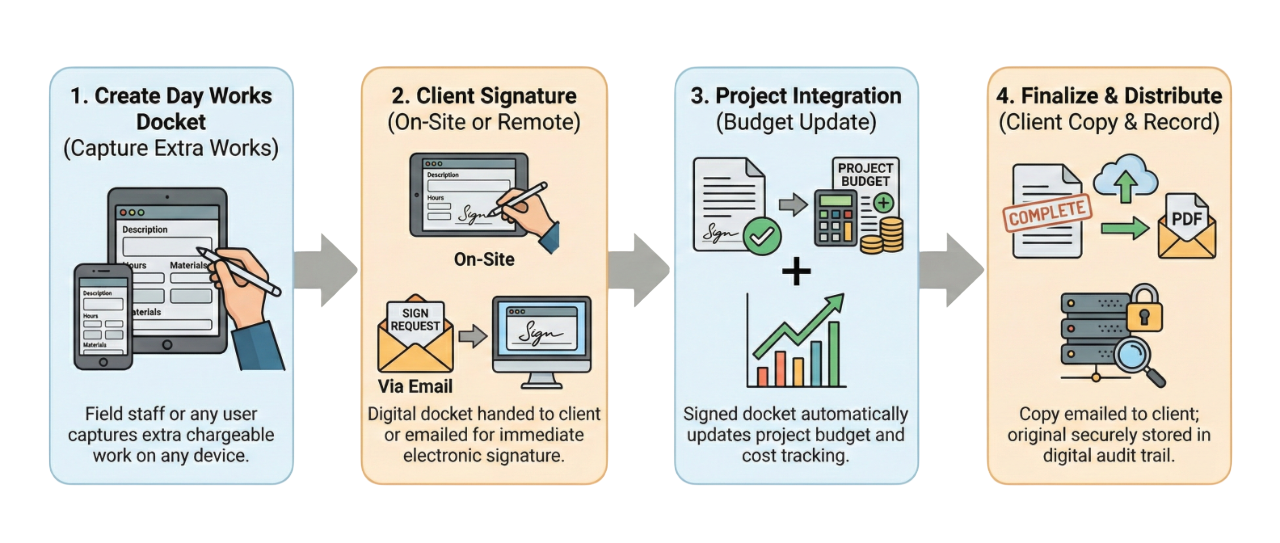
Capture client-approved variations with on-screen signature or email signature request workflows.
Shift Reports & Builder
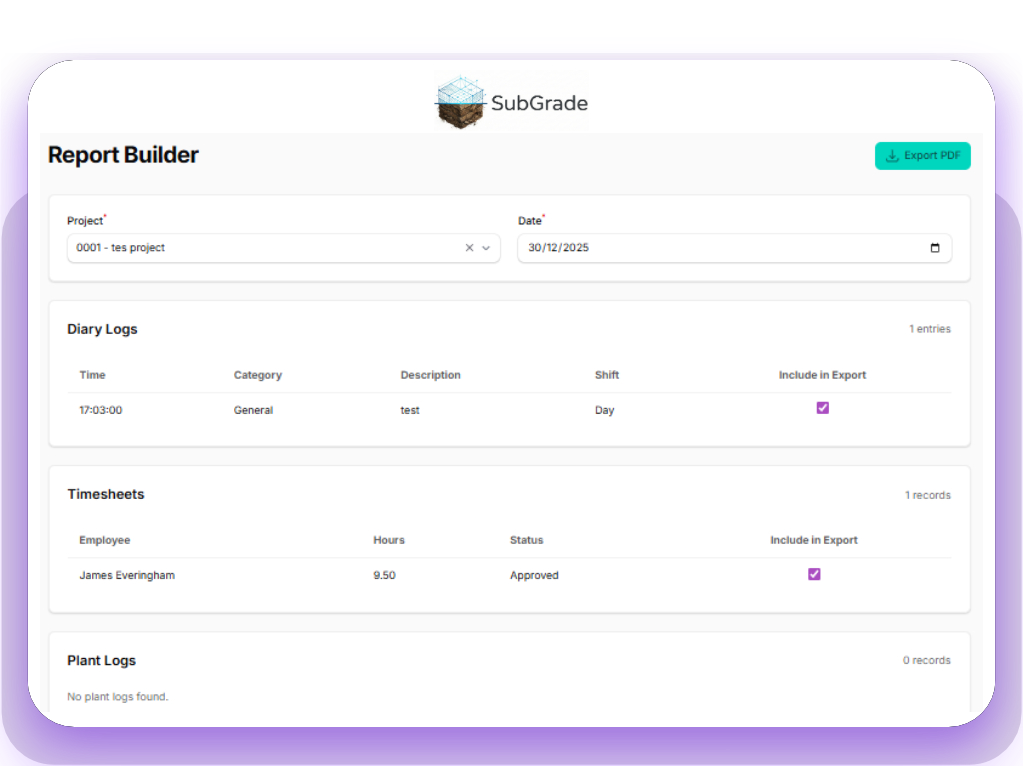
Save shift reports to jobs, then use the Report Builder to generate custom reports with exactly the data you need.
Float Tracker
Input upcoming float shifts into the allocation manager. Operators get 48-hour notifications with acknowledgement tracking.
Supervisors create a Day Works Docket on-site with labour hours, plant usage, materials, and photos. The client can sign directly on the device screen, or the system can email a signature request link. Once signed, the docket is locked and becomes part of your invoicing backup—no lost paperwork, no disputes.
The Report Builder lets you choose exactly what data to include: crew hours, plant allocations, weather delays, site photos, quantities moved—whatever you need. Save templates for recurring reports, or build one-off reports for specific client requests. Export as PDF or print straight from the field.
When you schedule a float shift in the Allocation Manager, the system automatically notifies any operator assigned to (or performing a pre-start for) that machine within 48 hours of the float. Operators must acknowledge the notification, so you can see exactly who has been informed and who needs a follow-up.
Jobsite-tested
Ready-made workflows crews actually use.
Supervisors keep control
Allocate crews and plant, approve timesheets, sign Day Works Dockets, and track progress in minutes. Field leaders stay ahead without waiting for head office.
Close the loop on Maintenance
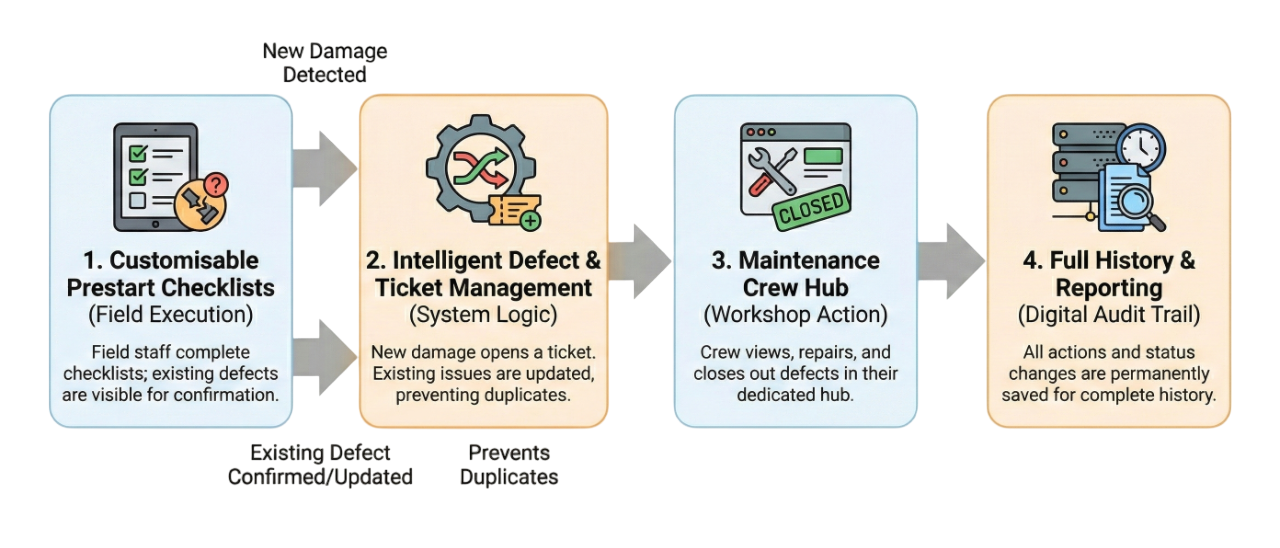
Failed prestarts automatically create defect reports, ensuring nothing gets missed. Your workshop gets a live Maintenance Hub to track, manage, and close out issues the moment they appear.
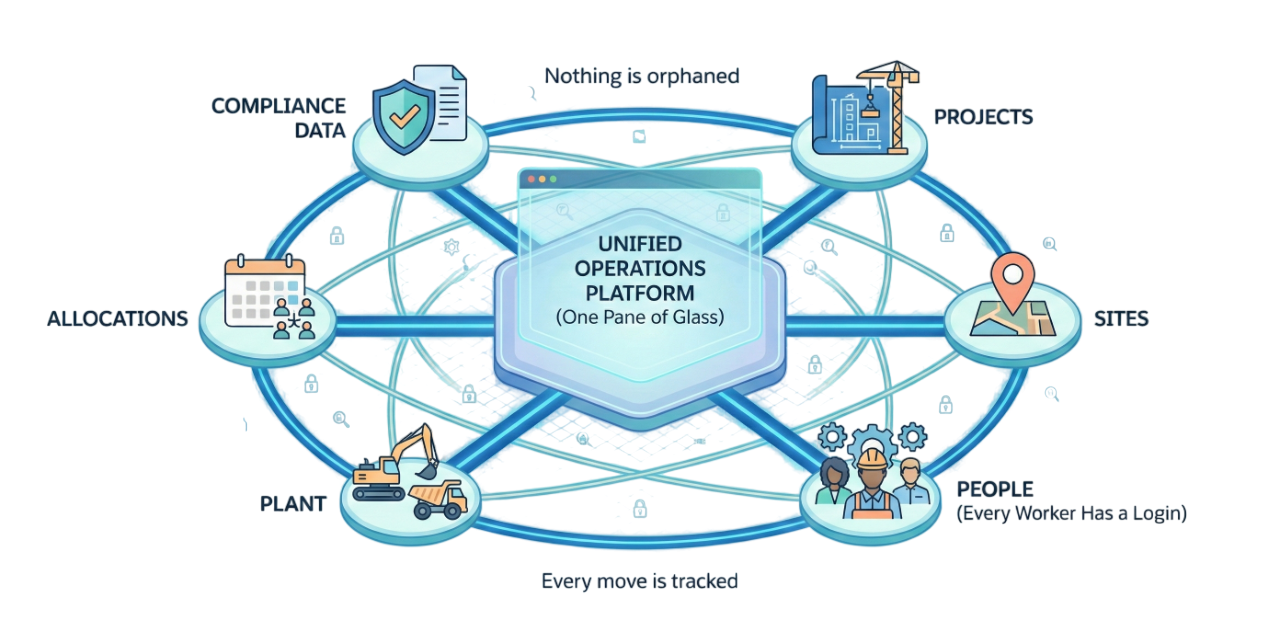
Operations run on one pane of glass
Projects, Sites, people, plant, allocations, and compliance data live together. Nothing is orphaned—every worker has a login and every move is tracked.
Safety stays digital
SWMS version control, toolbox talks, incident logging, and training registers keep compliance work in one system your crews will actually use.
Clients approve faster
Sign-on-glass Day Works and transparent status tracking reduce disputes and keep invoices moving.
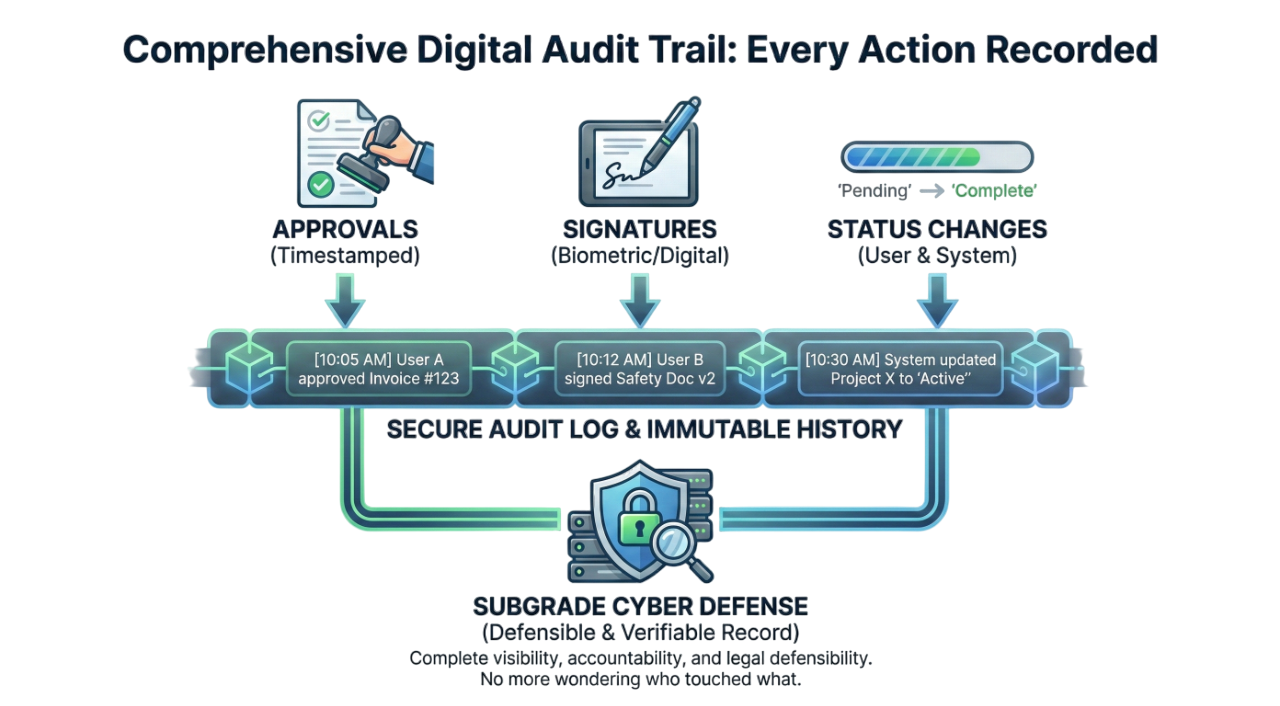
Audit trail everywhere
Every approval, signature, and status change is recorded. No more wondering who touched what—Subgrade Cyber keeps you defensible.
Rapid rollout
Stand up new projects and tenants fast—keep your structure, not a generic template.
Approvals that flow
Supervisor approvals, client sign-offs, and payroll validations stay connected end to end.
Instant QR Compliance
Subcontractors and visitors can sign SWMS and Toolbox Talks instantly via QR code. Capture external signatures without needing user accounts.
plus GPS site geometry, allocations, and integrations tailored to your jobs.
IMS-Ready Competency Management
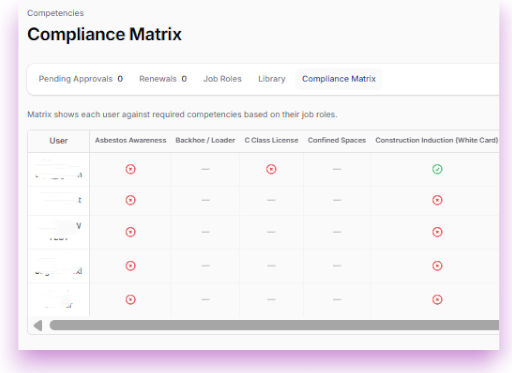
Competency Matrix with Renewal Alerts
View your entire workforce's tickets and competencies in an easy-to-read matrix. Traffic-light status shows at a glance who is current, who is approaching expiry, and who needs immediate attention.
Operators and managers receive automated notifications when tickets or competencies are due for renewal—no more last-minute scrambles or compliance gaps.
Meets Australian IMS competency tracking requirements with automated evidence collection.
Operational clarity
Live dashboards for revenue and risk.
See job status, labour and machine burn, and invoicing progress in one place. Every metric is backed by an audit trail, not guesswork.
Safety & Compliance (IMS)
Keep crews compliant without slowing them down.
Manage SWMS with version control and worker sign-offs, log incidents and investigations, and keep toolbox talks and training registers (like Silica Awareness) digital and searchable.
Safety Data Sheets stay at crews’ fingertips, and approvals are time-stamped so you are always audit-ready.
Field-ready from day one:
Daily Shift Reporting
The single source of truth for every shift.
Supervisors can quickly log crew hours, plant usage, production quantities, and site photos in one streamlined report at the end of the day.
Capture delays, weather conditions, and site events accurately. Data flows directly into payroll and project costing, ending the paper diary chase.
Granular Permissions
Tailored access for every role.
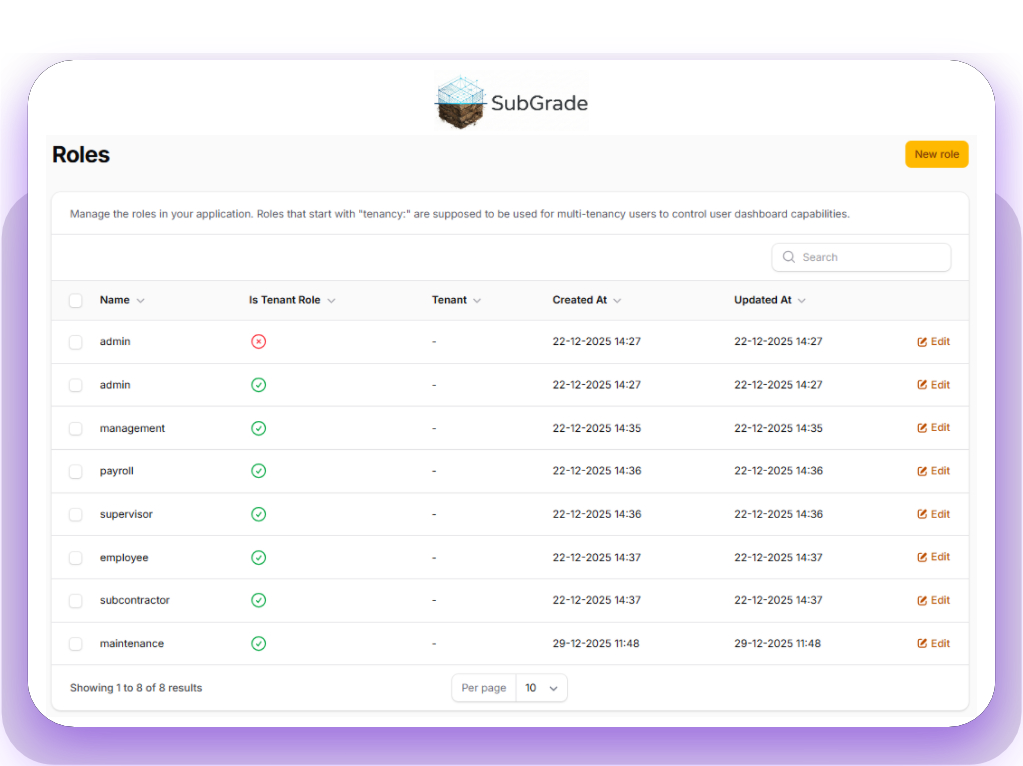
Define custom access levels for Management, Payroll, Site Supervisors, and Subcontractors. Ensure everyone has the exact tools they need to do their job—without seeing sensitive data they shouldn't.
Built for your entire organisation:
Asset Lifecycle Management
From Prestart to Service, handled automatically.
Automated Service Scheduling
Set service intervals (e.g., every 250 hours). The system reads live hour-meter data from daily prestarts and alerts your workshop when a machine is due. No more spreadsheets or missed oil changes.
Defect Management
When an operator creates a defect, it opens a ticket in the Workshop Hub. Mechanics can track parts, labour, and status, ensuring the machine doesn't go back to site until it's safe.
Purpose-built for civil crews
And a whole lot more that keeps you site-ready
Smart Allocations
Drag-and-drop scheduling that prevents double-booking plant or people.
Competency Matrix
Instantly verify who has the valid tickets to operate specific plant.
Delay Tracking
Log rain and site hold-ups daily to support Extension of Time claims.
Expiry Alerts
Automated reminders for insurances, registrations, and employee licenses.
Digital Plans
Give crews access to the latest drawings and specs right on their device.
Custom Forms
Build specific prestarts and safety checklists that match your site requirements.
Day Works Dockets
Capture client-approved variations with on-device or email signatures.
Custom Report Builder
Build daily reports with exactly the data you need for each project.
Float Tracker
Manage float shifts with 48-hour notifications and acknowledgement tracking.
Zero-Headache Setup
From "Sign Up" to "Site Ready" in days, not months.
We know you don't have time to configure software. Send us your plant list and employee roster, and we build your environment for you.
Field Adoption Toolkit
Everything you need to get the crew on board.
New tech fails when the field resists it. We provide the physical and digital assets to make the switch easy for the guys on the ground.
Don't start from a blank page
Launch instantly with our library of industry-standard Prestarts, SWMS, and Policies ready for rollout. Have your own custom forms? Send us your current PDFs or Word docs, and we will digitize and set them up for you—free of charge.
Done-for-you Setup
Concierge Onboarding Packages
Prefer a hands-off start? We will migrate your data, digitize your forms, and train your team for a one-time fee.
Starter Concierge Setup Package
Onboarding for the Sole Trader (1-3 Users)
- Onboarding for the Sole Trader (1-3 Users)
Small Crew Concierge Setup Package
Small Crew Onboarding for companies with 3-15 users.
- Small Crew Onboarding for companies with 3-15 users.
Contractor Concierge Setup Package
Contractor Onboarding for companies with 16-45 users.
- Contractor Onboarding for companies with 16-45 users.
A$1,575.00
Get Contractor Concierge Setup Package NowCivil Group Concierge Setup Package
Civil Group Onboarding for companies with 46-80 users.
- Civil Group Onboarding for companies with 46-80 users.
A$2,400.00
Get Civil Group Concierge Setup Package NowFAQ
Got a Question?
Answers to what construction managers and owners ask most often.
Absolutely. You can build custom checklist templates for every asset category. An Excavator can have different checks than a Light Vehicle, and you can update them instantly across the entire fleet.
It instantly alerts the workshop. The system creates a "Defect" ticket in the Asset Manager so your mechanics can schedule repairs. The defect stays attached to the machine's history until it is marked as fixed.
Yes. We set up your rate rules during onboarding. Whether it's travel allowance, meal money, or double-time triggers, the system automatically calculates the correct rates so payroll just has to review and export.
No. Subcontractors and site visitors can scan a QR code to view and sign SWMS, Risk Assessments, and Toolbox Talks without needing a user account. You get the compliance record without paying for an extra seat.
The Competency Matrix gives you a traffic-light view of your entire workforce. You can upload licenses, set expiry dates, and get automated alerts before a worker becomes non-compliant.
No. That is part of our Concierge Onboarding. Send us your asset list and employee register in Excel (or even photos of your whiteboard), and our team will import and configure everything for you so you are ready to go on Day 1.
No. As of now this feature is not supported. However, sometime during 2026 we will be rolling out native Apple and Android apps that will support offline usage.
Every hour logged and every machine allocated is tagged to a specific Project and Job Number. You can run reports to see exactly how many man-hours and plant-hours were burnt on a specific site.
Supervisors create the Day Works Docket on-site with all the details—labour, plant, materials, photos. The client can sign directly on the device screen, or the system sends them an email with a secure signature request link. Once signed, the docket is locked and archived for invoicing.
Absolutely. The Report Builder lets you choose exactly what data to include: crew hours, plant allocations, weather conditions, quantities, site photos—whatever your project or client needs. Save templates for recurring reports or build custom one-offs as required.
Both the operator and their manager receive automated notifications before the expiry date. The Competency Matrix shows a visual traffic-light status (green, amber, red) so you can see at a glance who needs attention. This keeps you compliant without manual tracking.
Yes. Subgrade Cyber was built from the ground up by operators with real-world IMS experience running civil construction businesses. The system follows Integrated Management System principles for quality, safety, and environmental management, with comprehensive audit trails, version control, and competency tracking built into every module. We understand IMS because we live it.